






Air 2, Quest 3 or a Portable Monitor: Which Everyday Job Matters?
Choose a physical monitor for straightforward shared text work, XREAL Air 2 for a supported personal display with little table footprint, or Meta Quest 3 for a standalone immersive headset workflow. None wins every everyday task. For a new Canadian XREAL shortlist, also compare One Pro’s native screen positioning so you do not attribute an older Air 2 limitation to every generation.
Make the three-way choice by task
| Main job | Sensible starting format | Why it can win | Key tradeoff |
|---|---|---|---|
| Dense laptop work with frequent sharing | Physical monitor | Stable visible panel without optical fitting | Space, power and a supported connection |
| Seated personal films or a supported source image | Air 2 display glasses | Small display footprint | Final fit, correction and source dependence |
| Immersive standalone apps and tracked interaction | Quest 3 headset | Dedicated platform and tracked input | Different form factor and workflow |
| Native anchored XREAL display | One Pro | X1 positioning in the glasses | Still needs compatible source and optical fit |
Meta’s device comparison identifies Quest 3 as an all-in-one LCD headset with colour passthrough, controllers and hand tracking. That is a genuine platform advantage for immersive tasks; it should not be reduced to a USB-C monitor comparison.
Keep the generation-specific capabilities straight
Air 2 specifications describe a tethered display with a 46° field of view. It does not gain One Pro’s native X1 screen positioning because both carry the XREAL name. Likewise, a supported Quest PC workflow does not mean an HDMI or USB-C source treats the headset as an ordinary external panel.
One Pro’s Canadian listing provides a current local offer at CAD 899 before additional items and tax. This guide does not convert a US Air 2 price into CAD or assert current Canadian Air 2 availability. Obtain the actual seller’s complete offer and terms for each shortlisted product.
Use one task to choose the winner
For work, compare the same document at usable scale and test keyboard/pointer control. For films, test the exact app, subtitles, sound and protected playback. For immersive apps, verify the platform app rather than assuming ordinary screen mirroring supplies tracked interaction.
Include source hardware, required adapters, correction, charging and any app costs in the total. If a physical monitor meets the primary task better, choose it; if a personal wearable display passes your trial and saves needed space, that is the practical XREAL advantage. No universal productivity, comfort or service winner is claimed without comparative evidence.
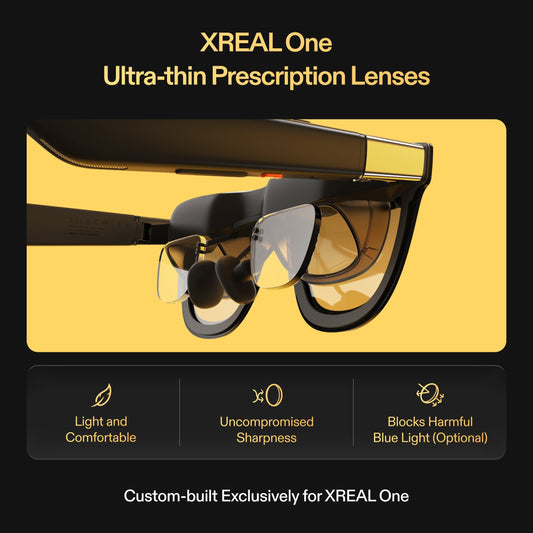
XREAL Air 2 — relevant specifications

| Parameter | Verified model detail |
|---|---|
| Display | 1920 × 1080 per eye; up to 120Hz in supported 2D mode |
| Field of view / mass | 46° / approximately 72g excluding cable |
| Connection | USB-C DisplayPort video from a compatible source |
| Fit / correction | Three nose-pad sizes; model-compatible prescription insert |
| Regional scope | US manufacturer specification source; no current Canadian price or stock asserted |
Source: Manufacturer specifications. Image remains on its original publisher’s host; no ownership or independent testing is implied.
Meta Quest 3 — relevant specifications

| Parameter | Verified model detail |
|---|---|
| Form factor | All-in-one VR headset; colour camera passthrough |
| Display | LCD; 2064 × 2208 pixels per eye |
| Field of view | 110° horizontal; 96° vertical |
| Input | Touch controllers and hand tracking |
| Work connection | PC VR through supported Meta Quest Link workflows; not a USB-C display-equivalent claim |
Source: Manufacturer specifications. Image: original publisher. Image remains on its original publisher’s host; no ownership or independent testing is implied.
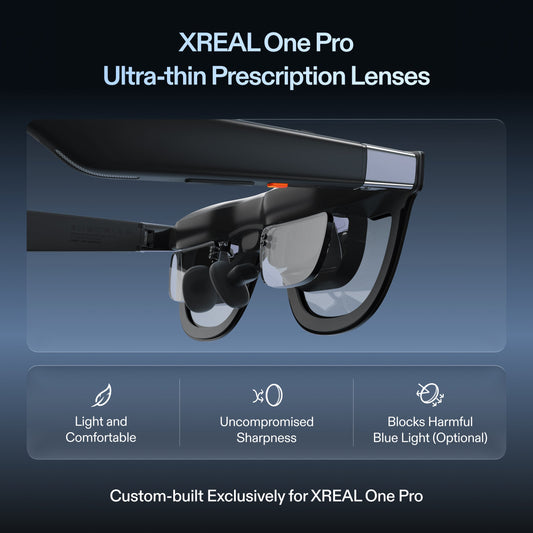
XREAL One Pro — relevant specifications

| Parameter | Verified model detail |
|---|---|
| Display | 1920 × 1080 per eye; up to 120Hz |
| Field of view / mass | 57° / 87g excluding cable |
| Screen positioning | Native X1 3DoF Anchor and Follow; Ultrawide mode |
| Optical sizing | M: IPD 57–66mm; L: IPD 66–75mm |
| Checked CA price | CAD 899 before tax and additional items; 29 October 2026 |
Source: Manufacturer specifications. Image remains on its original publisher’s host; no ownership or independent testing is implied.
Do not compare refresh rate as battery endurance
Meta’s current device table lists roughly two hours of Quest 3 battery life. Treat that as the manufacturer’s device estimate, not a result for your film or work app. Air 2 and One Pro depend on the connected source for power in the direct-display setup; no fixed phone or laptop runtime is established. Include charging and the actual source battery in the travel comparison.
Prepared for XREAL. Sources checked 29 October 2026. This is a buying guide and proposed acceptance routine; manufacturer specifications, editorial checks and unverified outcomes are distinguished.
FAQ
Xreal Air 2 vs Meta Quest 3 vs portable monitor for everyday media and laptop work which one is actually practical
Start with the primary job: a monitor for straightforward shared text work, Air 2 for a verified personal source image, and Quest 3 for its standalone immersive platform. Compare One Pro separately when native XREAL positioning matters; do not transfer features between generations.
Does Air 2 have the same native positioning as One Pro?
No. Compare the exact generation. One Pro has native X1 positioning; Air 2 may require a different supported accessory or software path for additional spatial behaviour.
Does Quest 3 function as any USB-C monitor?
Do not assume that. Verify its supported app, PC connection and workflow rather than treating the connector as a general display-input promise.
Your next step
Choose the model that meets the verified task, then confirm the exact source, optical size, correction and Canadian purchase terms before ordering.
Compare XREAL Canada models and the complete supported setup