






Galaxy S24 and XREAL: Try Direct Output Before Adding Original Beam
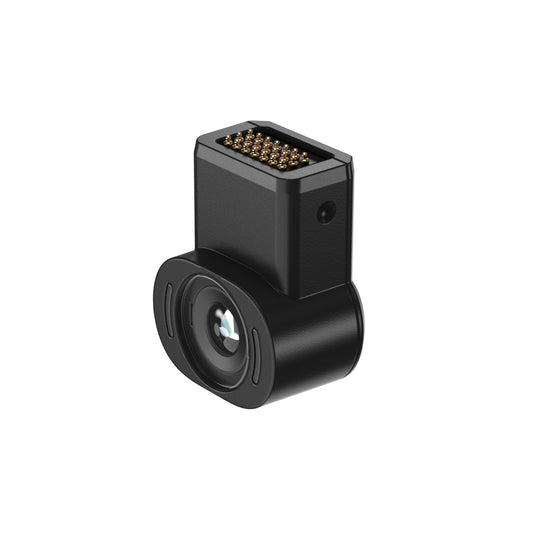
For a Galaxy S24 owner, start by verifying direct video output with the exact XREAL model and intended app. Original Beam can add supported spatial modes to an older Air 2 setup, but One Pro already has native X1 Anchor and Follow. Buy an additional device only when its verified function solves a requirement the direct setup does not meet.
Separate the source phone from the glasses generation
Samsung’s Canadian S24 specification lists USB Type-C, USB 3.2 Gen 1 and DeX support. These make a direct-display evaluation relevant, but do not prove that every cable, media app or display mode will behave identically. Use a video-capable connection and the actual intended source configuration.
For Air 2, basic direct output and an added spatial mode are different functions. The historical original Beam guide documents Body Anchor and Smooth Follow and distinguishes source input from glasses output. Its historical mode limitations should not be treated as a current firmware promise.
Use a generation-based decision table
| What you own or need | Try first | Add a device only when |
|---|---|---|
| S24 plus Air 2 for basic viewing | Supported direct output | A verified Beam mode or connection solves a real need |
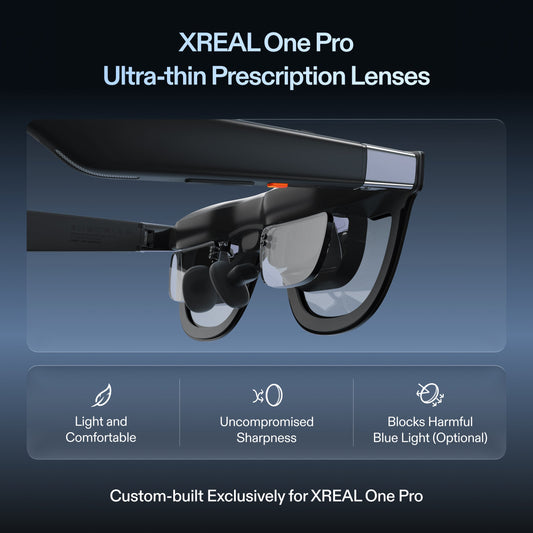
| S24 plus One Pro | Native Anchor/Follow and supported source mode | A separate verified function is missing |
| Need a separate app/content source | Evaluate that exact companion’s role | It supports the required apps and playback |
| Only need a bigger phone image | Existing supported direct setup | The extra purchase materially improves the tested task |
Do not describe original Beam and a different companion generation as interchangeable products. An input connector, an Android app source and native positioning in the glasses solve different problems.
Compare the complete tether and power requirements
Test the actual app, audio route, subtitle line and screen-positioning behaviour. Note source battery use and where the phone rests. An intermediary adds another carried device and cable path; a normal head turn should not pull either connector. Perform this check while stationary and seated.
No current original Beam Canadian offer, stock or price was verified, so a used-unit quote needs its own condition and seller-return checks. One Pro’s current local price is a separate option for a new buyer, not proof that every existing Air 2 owner should replace their setup. If direct output already passes the task, keeping it simple is a defensible purchase decision.
XREAL One Pro — relevant specifications

| Parameter | Verified model detail |
|---|---|
| Display | 1920 × 1080 per eye; up to 120Hz |
| Field of view / mass | 57° / 87g excluding cable |
| Screen positioning | Native X1 3DoF Anchor and Follow; Ultrawide mode |
| Optical sizing | M: IPD 57–66mm; L: IPD 66–75mm |
| Checked CA price | CAD 899 before tax and additional items; 29 October 2026 |
Source: Manufacturer specifications. Image remains on its original publisher’s host; no ownership or independent testing is implied.
XREAL Air 2 — relevant specifications

| Parameter | Verified model detail |
|---|---|
| Display | 1920 × 1080 per eye; up to 120Hz in supported 2D mode |
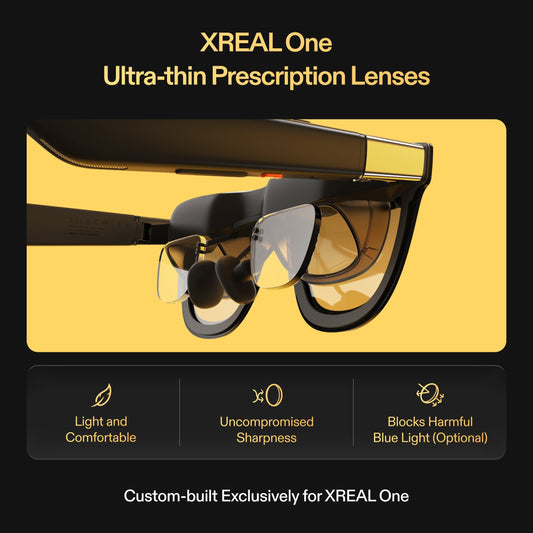
| Field of view / mass | 46° / approximately 72g excluding cable |
| Connection | USB-C DisplayPort video from a compatible source |
| Fit / correction | Three nose-pad sizes; model-compatible prescription insert |
| Regional scope | US manufacturer specification source; no current Canadian price or stock asserted |
Source: Manufacturer specifications. Image remains on its original publisher’s host; no ownership or independent testing is implied.
XREAL Beam (original) — relevant specifications

| Parameter | Verified model detail |
|---|---|
| Role | Spatial-display intermediary for supported glasses and sources |
| Modes | Body Anchor and Smooth Follow in manufacturer guide |
| Wired path | Video-capable source cable to input; glasses connect to output |
| Scope | Historical original Beam guide; no current Canadian offer or firmware promise |
Source: Manufacturer specifications. Image remains on its original publisher’s host; no ownership or independent testing is implied.
Samsung Galaxy S24 — relevant specifications

| Parameter | Verified model detail |
|---|---|
| USB connector | USB Type-C |
| USB version | USB 3.2 Gen 1 |
| Desktop mode | Samsung DeX supported |
| Role here | Source phone; exact app, cable and glasses mode still require verification |
Source: Manufacturer specifications. Image: original publisher. Image remains on its original publisher’s host; no ownership or independent testing is implied.
Prepared for XREAL. Sources checked 29 October 2026. This is a buying guide and proposed acceptance routine; manufacturer specifications, editorial checks and unverified outcomes are distinguished.
FAQ
Is the Xreal Beam worth buying or do the glasses work well enough plugged straight into a Samsung Galaxy S24?
For a Galaxy S24 owner, start by verifying direct video output with the exact XREAL model and intended app. Original Beam can add supported spatial modes to an older Air 2 setup, but One Pro already has native X1 Anchor and Follow. Buy an additional device only when its verified function solves a requirement the direct setup does not meet.
Is original Beam required for One Pro’s native Anchor?
No. One Pro includes native X1 positioning. Confirm the mode you need before buying another device solely for spatial screen control.
Does S24 DeX support guarantee every streaming app works externally?
No. Test the exact app, account, cable and display mode, including protected content where applicable.
Your next step
Choose the model that meets the verified task, then confirm the exact source, optical size, correction and Canadian purchase terms before ordering.
Compare XREAL Canada models and the complete supported setup