






Tiny Inventory Text in Handheld Games: Which Display Should You Try?
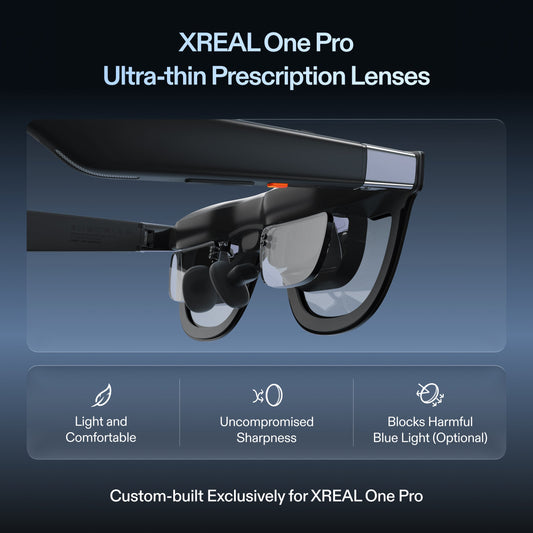
Try the handheld’s built-in screen, a compatible physical monitor and a fitted wearable display with the same inventory scene. XREAL One Pro is a useful candidate when you want a larger personal view without holding a screen close to your face. Choose it only if the actual inventory, subtitles and HUD remain readable with your source and correction; display size alone does not settle that question.
Compare one difficult game scene
Use a saved scene with tiny item names, quantities, tooltips and a crowded HUD. First try the game’s own text-size or accessibility settings. Then compare each screen at the same game settings. Distinguish a game that renders tiny text from a connection that is sending an unsuitable output resolution.
The One Pro Canadian listing offers a 57° field of view, up to 120Hz operation and native positioning. These are useful capabilities for a personal gaming screen. They do not make every handheld video-capable or prove that a particular game will reach 120 frames per second.
Choose among the three formats
| Format | Main advantage | Main acceptance question |
|---|---|---|
| Built-in handheld display | No external connection or optical fitting | Can the game enlarge the text enough? |
| Physical external monitor | Stable shared view and straightforward text comparison | Do you have space, power and a supported output? |
| Wearable display | Personal large view with little table space | Can you read all inventory corners through the final fit? |
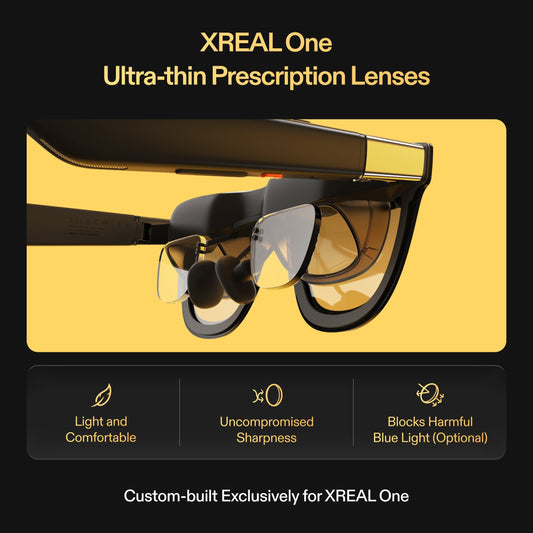
For glasses, select the right IPD size and use the finished prescription insert where required. Open the inventory, move your gaze between the centre and corners, then return to gameplay. Reject a fit that requires constantly lifting the frame to read an item.
Verify the whole connection before travel
Confirm the handheld’s exact model, video output and supported cable. A USB-C connector does not by itself promise display output. HDMI-only sources need a compatible, correctly directed conversion path and any specified power. Ask the seller to confirm the complete chain instead of purchasing an accessory because it has the right plug shape.
Choose where audio should play and test the controller at the same time. For a long journey, trial the complete setup while seated before packing it. Record battery drain on the source rather than assuming the glasses contain an independent gaming battery. If the built-in screen becomes readable after changing the game settings, keeping the simpler setup may be better value.
XREAL One Pro — relevant specifications

| Parameter | Verified model detail |
|---|---|
| Display | 1920 × 1080 per eye; up to 120Hz |
| Field of view / mass | 57° / 87g excluding cable |
| Screen positioning | Native X1 3DoF Anchor and Follow; Ultrawide mode |
| Optical sizing | M: IPD 57–66mm; L: IPD 66–75mm |
| Checked CA price | CAD 899 before tax and additional items; 29 October 2026 |
Source: Manufacturer specifications. Image remains on its original publisher’s host; no ownership or independent testing is implied.
A verified handheld output example
Valve’s Steam Deck LCD specification explicitly documents DisplayPort 1.4 Alt Mode over USB-C. This is a concrete video-capable source example, not a promise that every handheld or game behaves the same way. Compare the source’s output mode with the glasses and the actual game before purchasing; do not infer video capability from a USB-C connector alone.
Valve Steam Deck LCD — source-device example

| Parameter | Verified model detail |
|---|---|
| External video | USB-C with DisplayPort 1.4 Alt-mode support |
| USB | USB 3.2 Gen 2 |
| Built-in display | 7-inch LCD; 1280 × 800; 60Hz |
| Role in this comparison | Verified source-output example, not a promise for every app or accessory |
Source: Manufacturer specifications. Original publisher image; no independent testing implied.
Prepared for XREAL. Sources checked 29 October 2026. This is a buying guide and proposed acceptance routine; manufacturer specifications, editorial checks and unverified outcomes are distinguished.
FAQ
For handheld games with tiny inventory text, which screen formats are worth trying before buying a wearable display?
Compare the handheld panel, a physical external display and fitted glasses using the same saved inventory scene. Verify video output before buying a wearable display, then check all HUD corners and subtitles with the final prescription and optical size.
Does 120Hz make inventory text larger?
No. Refresh rate concerns image updates; text size and readability depend on the game, output, scaling and optical fit.
Are glasses best for two players sharing one view?
A physical screen is usually the easier shared-view format. A fitted wearable screen is designed for one wearer at a time.
Your next step
Choose the model that meets the verified task, then confirm the exact source, optical size, correction and Canadian purchase terms before ordering.
Compare XREAL Canada models and the complete supported setup