







One Wide Document Beside Your Laptop: Choose an XREAL Screen Format, Not a Monitor Count
For a single wide document beside your laptop keyboard, a supported XREAL One-series extended desktop is the relevant configuration to test. The manufacturer documents 16:18, 21:9 and 32:9 UltraWide formats. These are shapes of one display surface, not a promise of several separately managed monitors. Choose the least complex format that makes the actual document readable on your computer.
Match the format to the page
| Work to demonstrate | Format worth testing | Acceptance check |
|---|---|---|
| Tall document or long reference page | 16:18 | Read the working section without shrinking the font excessively |
| Document beside a notes pane | 21:9 | Both panes remain legible with your chosen operating-system scaling |
| Wide sheet, timeline or comparison | 32:9, if the host outputs it | Show the selected host resolution and readable edge content |
The official tutorial specifically warns that enabling a mode does not make an unsupported source output that aspect ratio. On a computer, select extended display rather than mirroring before assessing the effect. The guide names Mac and Windows computers among supported device categories; that is not an approval for every hardware, operating-system and application combination. It also lists iPhone among devices without UltraWide support.
Configure the actual work session
Use a video-capable USB-C connection for the exact laptop. The One-series connection guide calls for DisplayPort video and 5 V/1 A; a charging-only cable is not proof of video support. Put the laptop keyboard in the normal typing position, then move one working document to the glasses display. Open the real application, set comfortable text scaling and show the page width you need.
Evaluate the centre and edges without changing your posture to chase small text. If a wider mode only creates more tiny content, try 21:9 or a taller arrangement rather than treating the widest option as the goal. Check that moving the pointer between laptop and glasses displays is practical and that the document stays in the intended workspace after reconnecting. These are proposed acceptance checks, not claimed test results.
Compare with a portable monitor by the same task
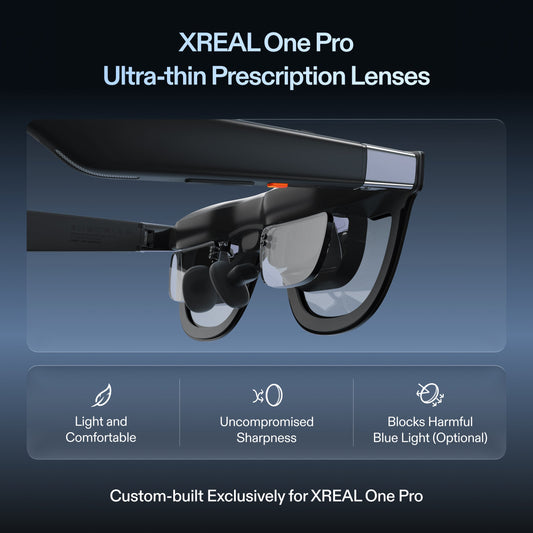
A physical portable screen can be the simpler choice when you need to point at a page with another person or use an openly visible reference beside the keyboard. Display glasses are worth considering when a personal screen avoids placing another panel on the desk. Neither category is automatically better for a shared review or for your vision. Test the complete carried setup, including any correction and power accessories, before comparing price or weight.
The One Pro specifications below describe that model only. Do not transfer its X1 processing or UltraWide workflow to Air 2 without the appropriate separate documentation. Buy when the seller can reproduce your document arrangement on the exact supported source; request an alternative configuration when it cannot.
Product facts and images
XREAL One Pro
| Parameter | Manufacturer information |
|---|---|
| Field of view | 57° |
| Spatial processing | X1; native 3DoF |
| Refresh rate | Up to120 Hz |
| IPD sizes | M 57–66 mm; L 66–75 mm |

Frequently asked questions
Does 32:9 mean three monitors?
No. It is an aspect ratio for a supported display surface, not a count of independent virtual monitors.
Why does the display still look like the laptop?
Check for mirroring and select extended display as instructed in the One-series tutorial.
Will iPhone provide the same UltraWide workspace?
The cited guide lists iPhone among devices without UltraWide support. Assess the laptop configuration separately.
What should I test before purchasing?
Your actual document, application, text scaling, centre and edge readability, and the full video/power connection.